02_Imaging.pdf
Templates: Flash Brand Platform Template for Final Presentation File
- View: template.html
- Source File: http://j-bel.net/pratt/des680/week02/template.zip
- Your final brand platform presentation file does not have to be built in Flash. It can be built in Power Point, Open Office, can be compiled as an Adobe.pdf, or can be created with any other software of your choosing.
- Now is the time to create your template, so that as you complete assignments, they are imported into your template and a working file is maintained throughout the semester.
- Please note: whatever platform you choose, it will need to support audio, video and be exportable for web upload. If you will be using Power Point or Open Office, please create an account on slideshare: http://www.slideshare.net. This encodes your files for web viewing.
- Your template should not exceed the dimensions of 1024 x 768 pixels (792 x 612 pixels, 72 ppi is equivalent to an 11 x 8.5 in default slide).
- Your final brand platform presentation will be completely screen-based, so resolution can remain in the 72-150 ppi range
Presentation: Color
- Color Theory History
- Digital Color
OWS: Brand Platform Colors Demo: See Source File
1) Create a template in Photoshop with 3 equally sized vertical elements. The dimensions of your file should correspond with the template dimensions you decided upon above.
2) Find three images on the web containing colors and monochromes which relate to your theme (search large image category to avoid rasterization - we will be scaling these images up). These images can be literal & representational (meaning the image is not cropped & we can fully see what the image represents). Place these images in your template as slide 01.
3) Slide 02 should incorporate details of the same three images you selected above.
4) Find three more images same color themes (or use color adjustment or replacement tools in Photoshop to tweak) that are more abstract than your selections above. You will again use only a zoomed in portion of the image.
5) Your final slide will include two binhex colors and one binhex monochrome that correspond with the palette represented in your photographic image selections.
6)Select Window>Animation panel and create a slide show of your selections. Export this as a Quicktime movie.
7) Import this into your Brand Platform Template.
View: http://www.futurebrand.com/work/featured-cases/
Example:

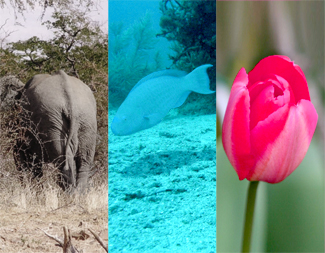
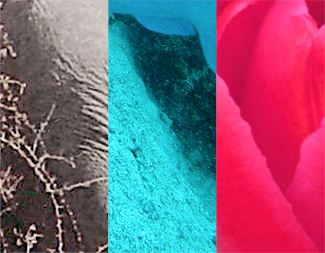
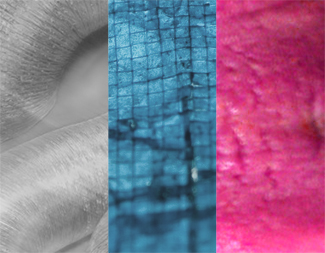
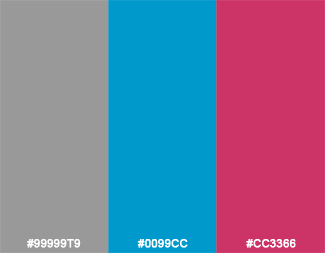
1) FINISH your Brand Platform Colors project.
2) BE PREPARED to present this assignment and your Selection & Theme assignment in class next week. Your presentation should be no longer than 8 minutes and your files should be uploaded to your blog. Be prepared to describe the concept of your selection extrapolation: context, application + typography choices in its visual expression. Also be prepared to explain your choice of images, textures and colors in relation to your theme.

No comments:
Post a Comment